
Clark for Excel
A redesign, UX rethink, and full product lift of Clark's Excel add-in: an agent that reads the engagement's documents, works them into audit workpaper templates, and shows the evidence behind every value.
2026
Audits live in Excel, so Clark does too. The agent works the workpaper from a pane beside the grid: it reads the plan document, scopes evidence for each participant, and reports every step as it goes. It started from somewhere very different.
Before
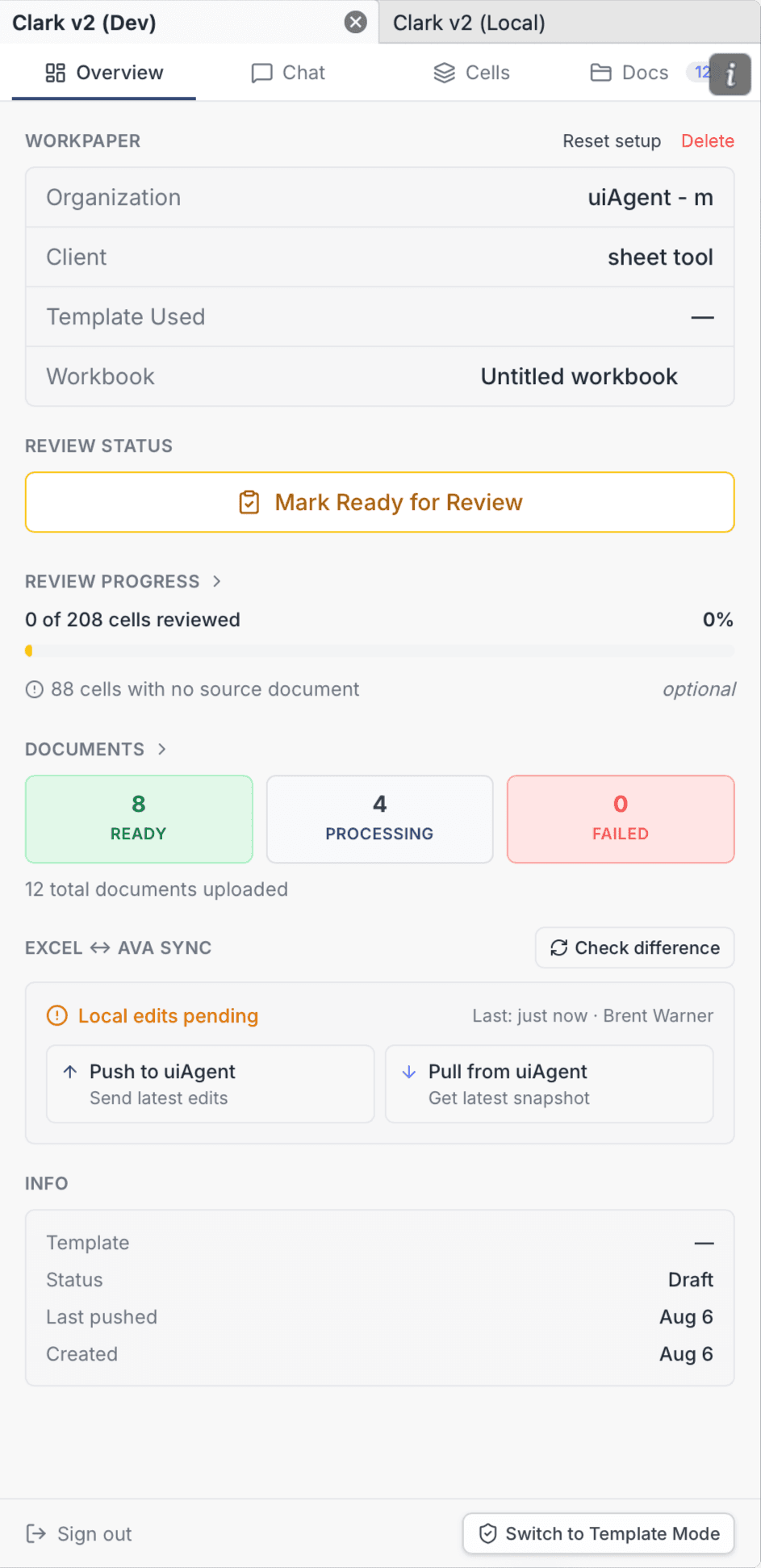
After
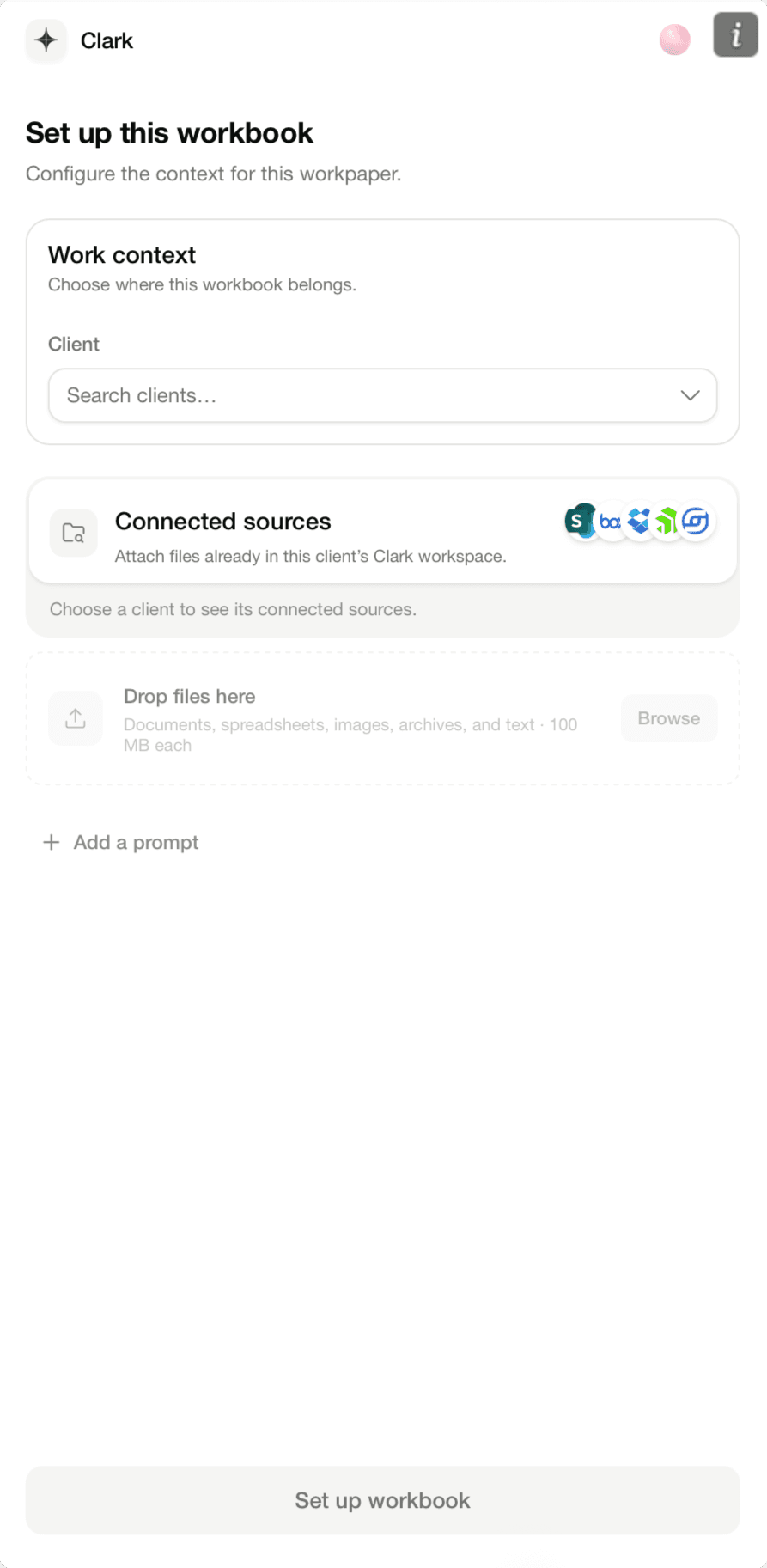
Setup used to be an engineer’s console, with sync switches and counters crowded behind four tabs. Now a workbook opens as a project. Pick the client, connect SharePoint, Box, or Dropbox, drop in files, and the agent knows its context before it writes a cell.
Before
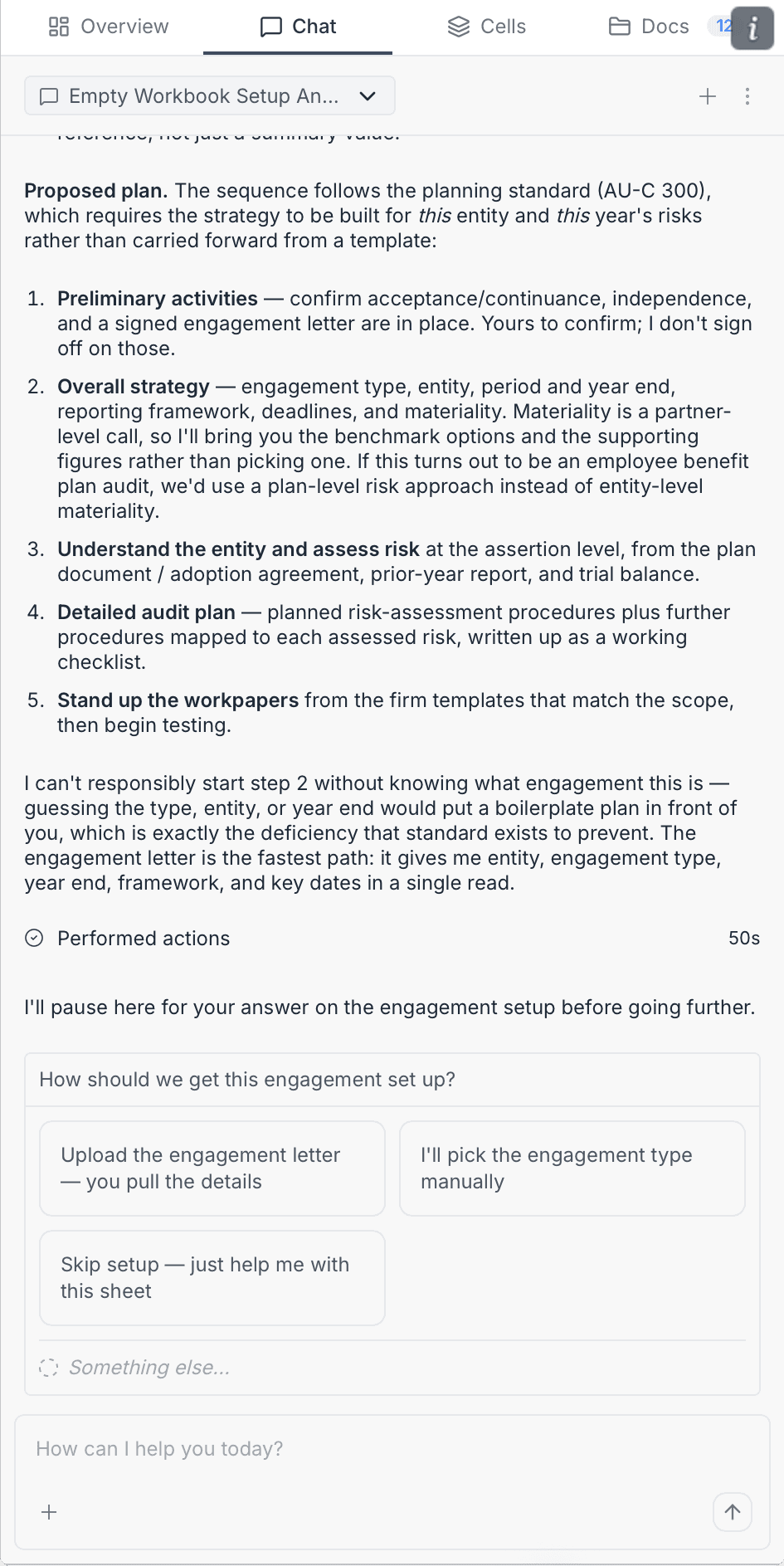
After
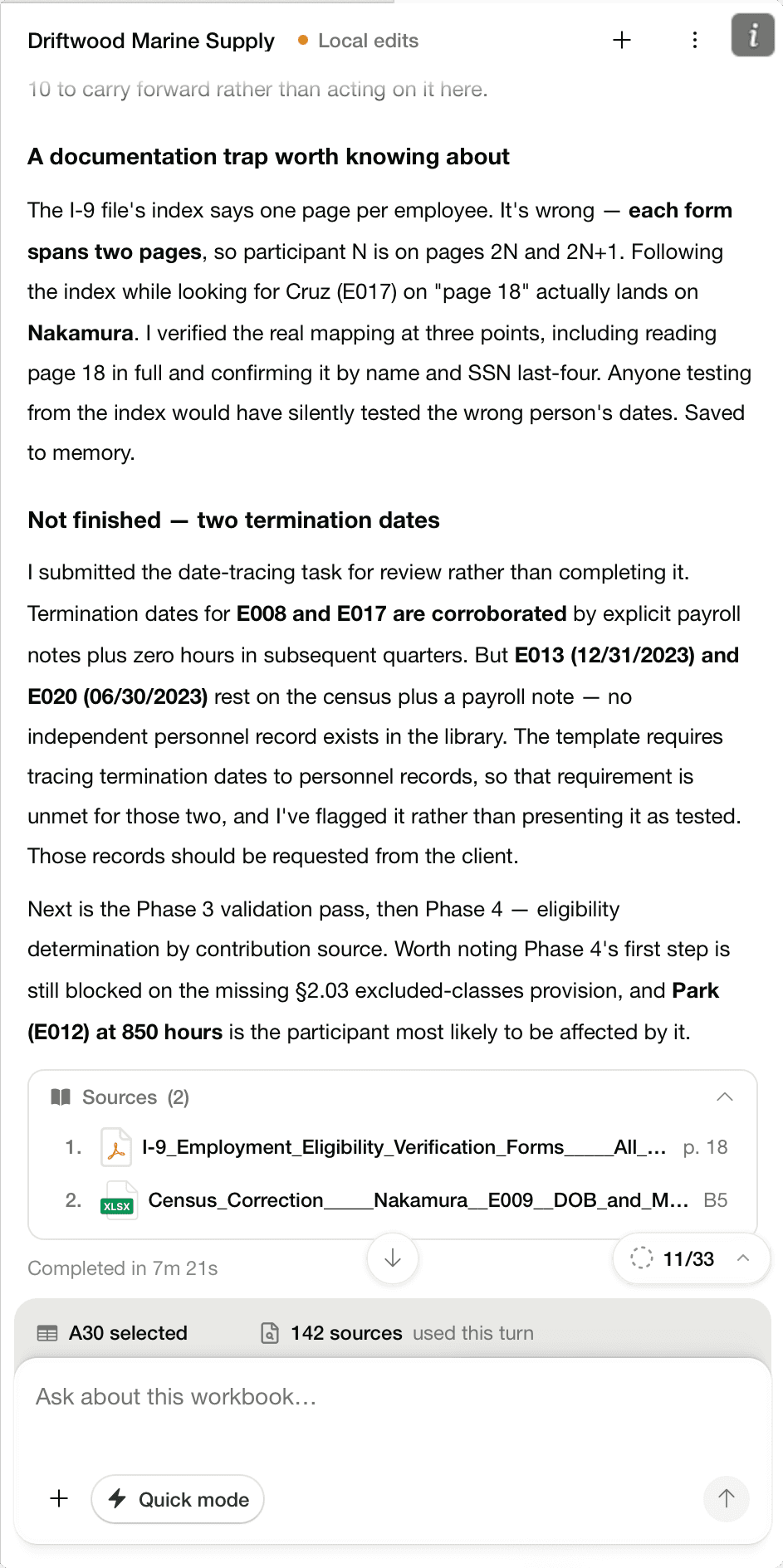
The old chat answered in long prose that asked to be trusted. The redesign pins every claim to its source, a page of a PDF or a cell of a census. Here it catches an index error that would have silently tested the wrong employee’s dates.
Before
After
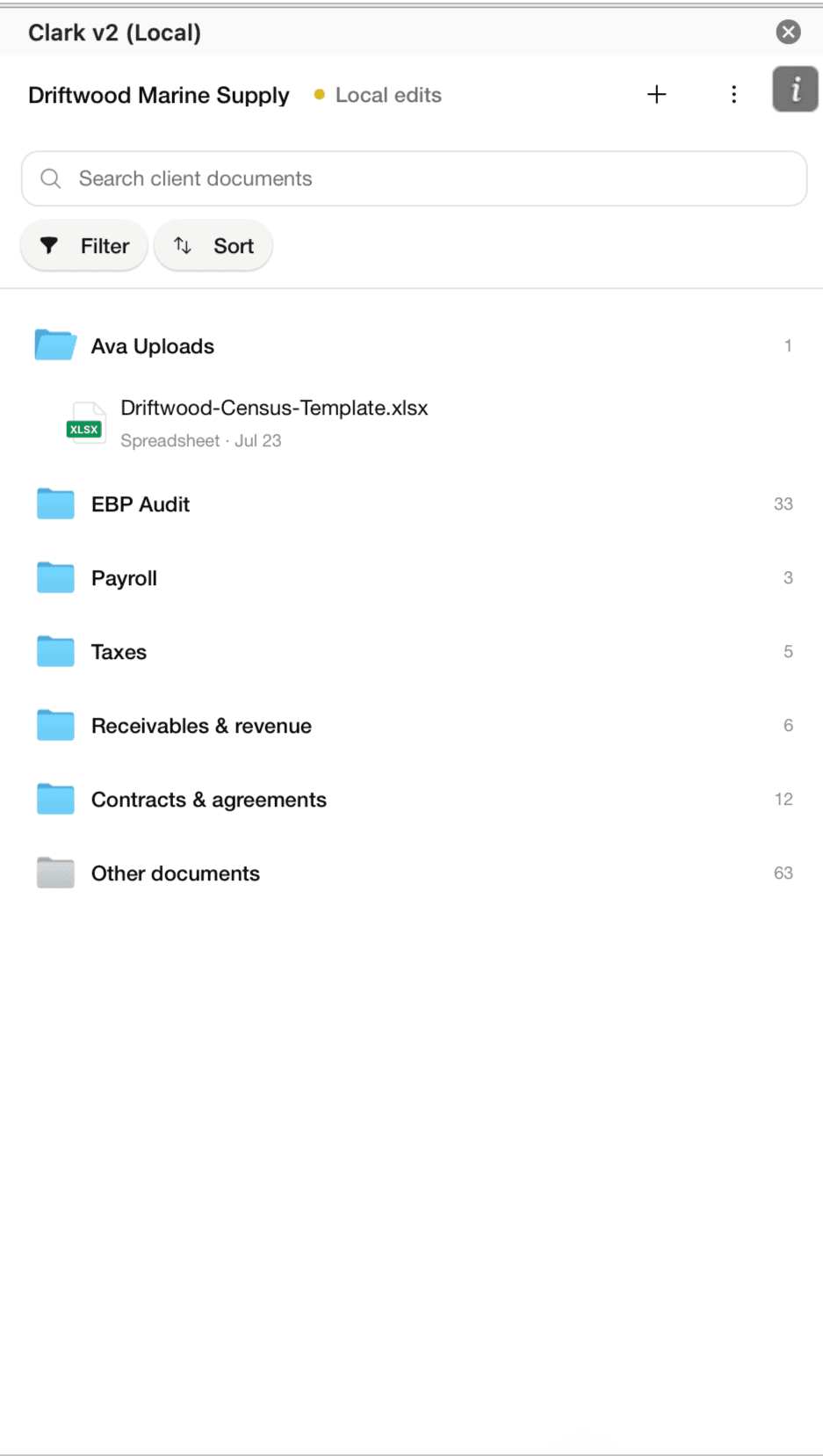
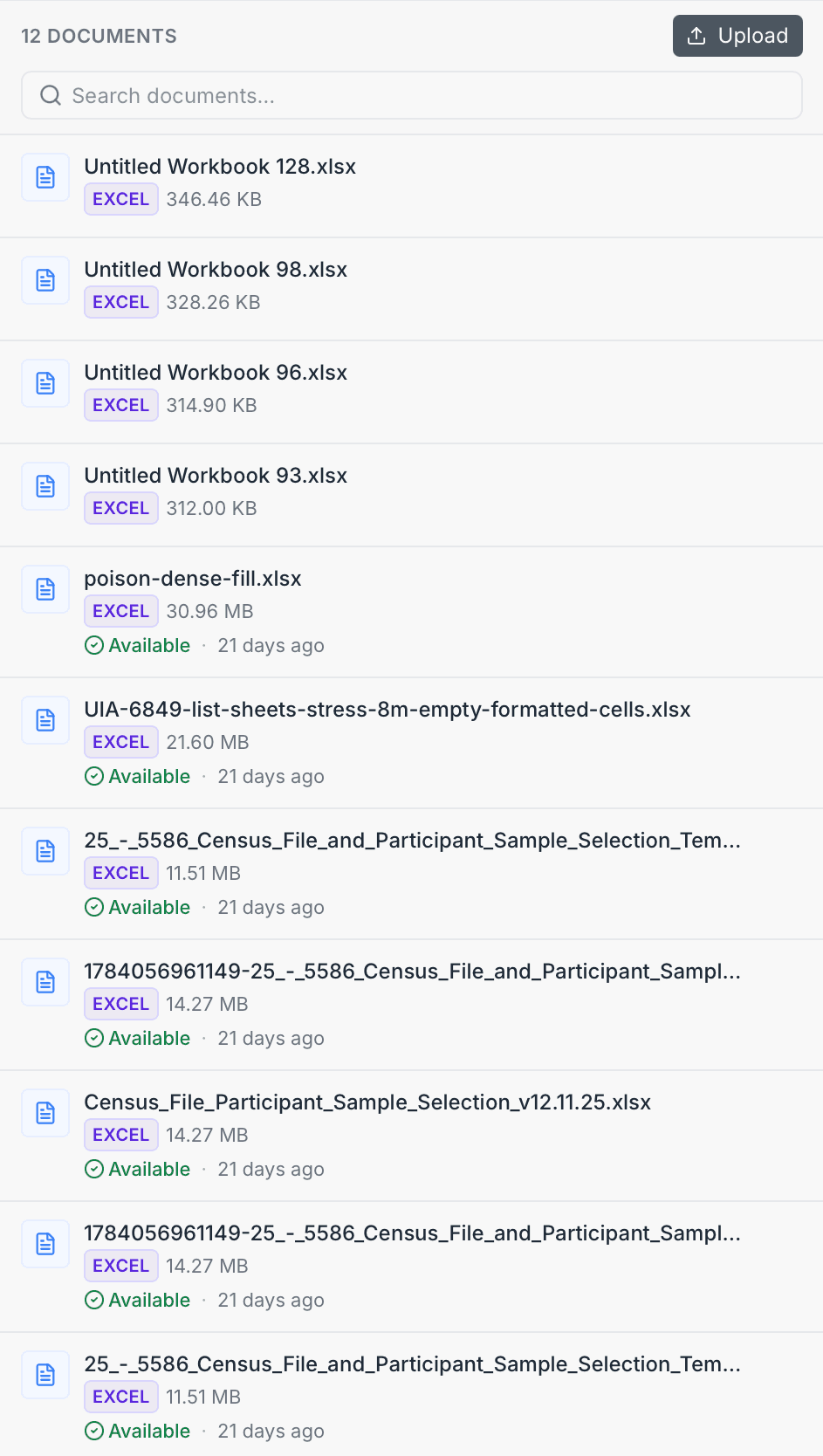
A flat upload dump became the engagement’s filing cabinet. When documents are uploaded, the agent reads them and sorts them into folders an audit team already thinks in, with every file scoped to its client. Extraction is only as trustworthy as the library it draws from.
Clark also moved into Excel itself, with its own ribbon group and sources a click away. When a value needs proof, the agent walks the library rather than assuming. Here it checks one answer against 321 sources, from the plan document to the census file.
The workpaper template becomes a checklist the agent works through, thirty-three tasks reviewed against the documents and checked off with the work shown. A wrong page index gets caught and verified instead of trusted. What began as a debug console now reads the way an audit should: show your work.